
A solo developer's toolkit is defined by one principle: maximum output with minimum overhead. The must-have tools for any independent developer in 2026 are not the ones with the longest feature lists. They are the ones that eliminate friction between your idea and a deployed product. A consolidated stack of 8 tools covers 90% of solo development needs, replacing the bloated 30-tool setups that dominated earlier workflows. That shift matters because every extra tool you maintain is cognitive load you carry every single day. The developers shipping the most are not the ones with the most tools. They are the ones who know exactly which tools to keep.
How to identify must-have tools as a solo developer
The right framework for identifying your core toolkit starts with one question: does this tool remove a bottleneck that exists right now? Not a hypothetical future problem. A real, weekly friction point. When you apply that filter, the list gets short fast.
The development environment is where you spend the most time, so it deserves the most deliberate choice. AI-integrated IDEs like Cursor enable solo developers to ship features 3 to 4 times faster than traditional environments. That is not a marginal gain. It is the difference between a one-person team feeling like a one-person team and feeling like a small studio. Cursor's $20/month Pro plan gives you access to professional AI models that handle autocomplete, refactoring, and inline documentation simultaneously.

The smartest AI coding setup for solo work is a dual-tool strategy. Splitting responsibilities between Cursor and Claude Code lets you use Cursor for granular, line-level edits while Claude Code handles architectural decisions and larger refactors. This division of labor is what allows a single developer to operate at something close to team-level velocity. You can find a deeper breakdown of how these tools compare in Stackreview's AI coding tools analysis.
Version control is non-negotiable. Git combined with GitHub or GitLab gives you a full audit trail, branch-based experimentation, and a deployment trigger for most modern hosting platforms. For solo projects, GitHub's free tier handles everything you need until you are managing private repositories at scale.
Pro Tip: Start every new project by committing a working skeleton to GitHub before writing a single line of feature code. This forces clean structure from day one and gives you an instant rollback point.
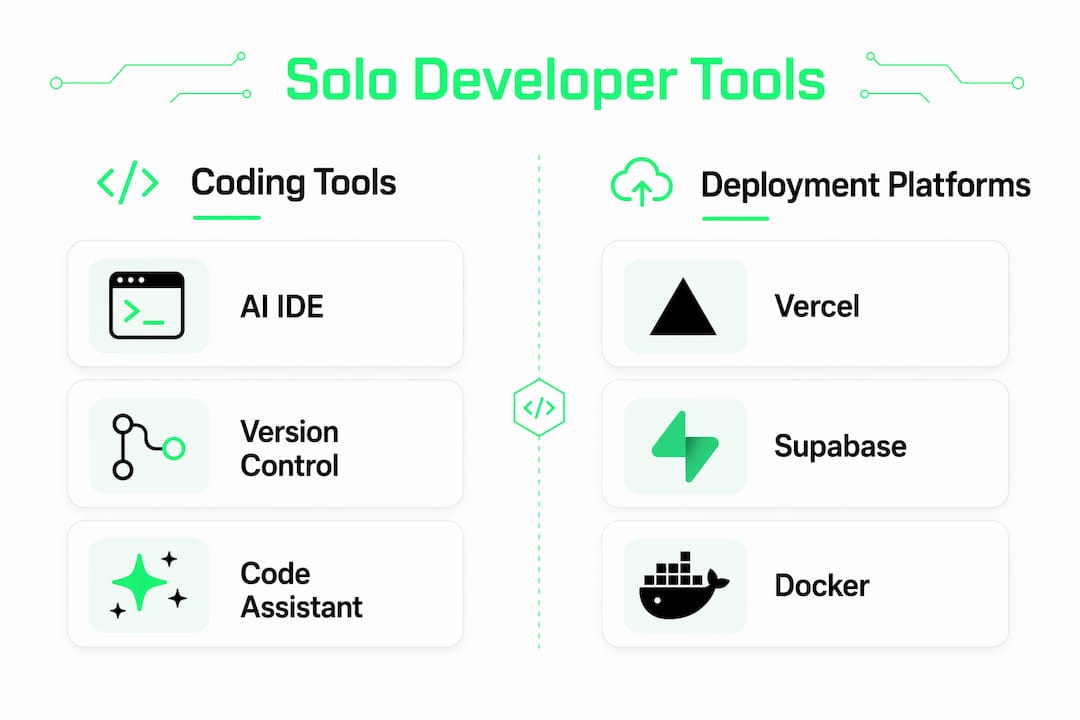
- Cursor (AI IDE): inline AI coding, refactoring, and autocomplete at $20/month Pro
- VS Code: free, extensible editor with the largest plugin ecosystem available
- Git + GitHub: version control, branch management, and CI/CD trigger integration
- Claude Code: architectural planning, large-scale refactors, and code review assistance
Which deployment platforms work best for solo developers?
Deployment is where many solo developers lose hours they cannot recover. Choosing the wrong platform means fighting configuration instead of writing code. Vercel's git-push-to-deploy workflow with built-in SSL and a global edge network is the closest thing to a standard for solo developer production deployments. You push to main, and your app is live in under a minute. The Professional plan starts at $20/month, which removes the free tier restrictions that block commercial usage.
The comparison below covers the three platforms most relevant to solo developers in 2026:
| Platform | Best for | Free tier | Paid plan | Key limitation |
|---|---|---|---|---|
| Vercel | Frontend and full-stack Next.js apps | Yes, with limits | $20/month | Bandwidth caps on free tier |
| Supabase | Postgres database plus auth and storage | Yes, generous | $25/month | Pauses inactive free projects |
| Railway | Backend services and containerized apps | Yes, usage-based | $5/month base | Less mature edge network |
Supabase deserves specific attention because it bundles a Postgres database, authentication, file storage, and real-time subscriptions into a single managed service. For a solo developer building a SaaS product, replacing four separate services with one is a significant reduction in operational complexity. Railway fills the gap for developers who need to run containerized workloads or background jobs without managing a full cloud provider account.
Evaluating deployment tools with real workflows before committing means noting setup time, the limits you actually hit, and the quality of error messages when things break. A platform that looks clean in a demo can become a source of constant friction in production.
Pro Tip: Before committing to any managed service, confirm there is a documented data export path. Vendor lock-in is a real cost that does not show up in the monthly bill until you need to leave.
What project management tools do solo developers actually need?
Project management for solo developers is not about process. It is about not losing track of what matters next. The tools that work best are the ones with the lowest overhead per task created.
Linear is the right choice at early stages over heavier alternatives like Jira or Notion for task tracking. Linear's interface is fast, keyboard-driven, and designed for developers. Creating an issue takes three seconds. That speed matters when you are context-switching between coding and planning ten times a day. Notion works well for documentation and knowledge bases, but using it as a primary task manager adds friction that Linear eliminates.
For documentation at the earliest project stages, a simple "/docs` folder in your repository often outperforms any external tool. It lives next to the code, gets versioned with Git, and requires zero setup. The temptation to build a beautiful Notion wiki before you have users is a form of productive-feeling procrastination.
Automation tools like Zapier and Make become relevant once you have identified a specific repetitive task that costs you more than 30 minutes per week. Not before. Avoiding tool fatigue means adopting new tools only when a genuine bottleneck exists. Premature adoption wastes time and adds complexity that compounds over months.
- Linear: fast, developer-native task and issue tracking
- Notion: documentation, wikis, and long-form planning
- /docs folder: zero-overhead documentation for early-stage projects
- Zapier or Make: workflow automation once repetitive tasks are confirmed
How to build your tool stack without burning out
The single most common mistake solo developers make is assembling a full production stack before they have a production product. The bottleneck-first adoption principle is the antidote. You add a tool when a specific, recurring problem demands it. Not when a newsletter recommends it.
Here is a practical layering sequence that keeps complexity manageable:
- Start with core development tools. Cursor or VS Code plus Git and GitHub. This is your foundation. Nothing ships without it.
- Add deployment infrastructure. Vercel for frontend and full-stack apps. Supabase if you need a database and auth. These two alone cover most SaaS architectures.
- Introduce project tracking only when context-switching costs you time. Linear is the right first choice. A text file in your repo is a legitimate second choice.
- Layer in automation after you have shipped. Zapier, Make, or custom scripts belong after you have identified the exact task worth automating.
- Evaluate AI tooling last, not first. Cursor is the exception because it improves every stage. Everything else should earn its place.
Choosing tools based on workflow fit and setup speed minimizes cognitive load. A tool that takes four hours to configure correctly is a tool that costs you a feature. Test any new tool against a real task from your current project before committing to it. If it does not improve that specific task, it does not belong in your stack yet.
Opinionated frameworks like Laravel reduce decision fatigue by automating thousands of infrastructure decisions, including authentication, routing, ORM, and queues. The same logic applies to your tool choices. Fewer decisions made per day means more mental energy directed at the work that actually ships.
Pro Tip: Run a two-week trial on any new tool using a real project task, not a toy example. If you are not using it daily by day ten, remove it.
Key takeaways
A solo developer's most productive stack is a minimal one, built around AI-assisted coding, fast deployment, and lightweight project tracking.
| Point | Details |
|---|---|
| AI IDEs are the highest-leverage tool | Cursor enables 3 to 4x faster shipping and belongs in every solo developer's stack. |
| Eight tools cover most needs | A curated stack of Cursor, GitHub, Vercel, Supabase, and a few others handles 90% of solo development work. |
| Deploy with Vercel first | Git-push deployment with global edge delivery removes the biggest operational bottleneck for solo projects. |
| Adopt tools bottleneck-first | Add tools only when a specific, recurring friction point demands it, not based on trends. |
| Lightweight project tracking wins | Linear or a /docs folder outperforms complex project management tools at early project stages. |
What I have learned from building with a minimal stack
The honest truth about tool selection is that most developers, myself included, have wasted weeks configuring tools that never made it past month two. The appeal of a well-organized Notion workspace or a perfectly tuned CI/CD pipeline is real. But it is also a trap. The developers I have seen ship the most consistently are the ones who treat their stack as a constraint, not a canvas.
The dual-AI approach with Cursor and Claude Code changed how I think about solo development capacity. Using Cursor for line-level work and Claude Code for architectural thinking is not just a productivity trick. It is a way of externalizing the two most cognitively expensive parts of coding. That combination, paired with Vercel for deployment, means the gap between idea and live URL is now measured in hours, not days.
What I push back on is the idea that you need to stay current with every new tool that drops. The solo developer stack at stackreview.dev gets updated when tools genuinely change the workflow, not when they generate buzz. The best stack for you is the one you stop thinking about. When your tools disappear into the background and you are only thinking about the product, you have got it right.
Experimentation matters, but it has a cost. Set a rule for yourself: one new tool per month, evaluated against a real task. Everything else is noise until proven otherwise.
— Alpha
Find your exact stack faster with Stackreview
Stackreview tests the tools solo developers actually use, not the ones marketed to enterprise teams. Every review covers real pricing, actual limitations, and honest verdicts with no paid placements influencing the results.
If you are still deciding which tools belong in your stack, the AI tool matcher at Stackreview gives you personalized recommendations based on your project type, budget, and workflow. For unfiltered takes on what works and what does not, the Developer Tool Confessions series features real developers sharing what they kept, what they dropped, and why. Skip the research spiral and get to building faster.
FAQ
What are the must-have tools for a solo developer in 2026?
A consolidated stack of Cursor, GitHub, Vercel, and Supabase covers the core needs of most solo developers. Adding Linear for task tracking and Claude Code for architectural assistance rounds out a complete, minimal setup.
Can a solo developer work as fast as a small team?
Yes, with the right AI tooling. AI-integrated IDEs like Cursor enable solo developers to ship features 3 to 4 times faster than traditional environments, effectively closing the output gap with small teams.
How many tools does a solo developer actually need?
Eight well-chosen tools cover 90% of solo development needs. The goal is a stack small enough to maintain without overhead but complete enough to handle development, deployment, and project tracking.
What is the biggest mistake solo developers make with tools?
Adopting tools before a genuine bottleneck exists. Premature tool adoption adds complexity and wastes time that should go toward shipping product. Add tools only when a specific, recurring problem demands a solution.
Is Vercel the best deployment option for solo developers?
Vercel is the leading choice for frontend and full-stack deployments due to its git-push workflow, global edge network, and SSL automation. The $20/month Professional plan removes the free tier limits that affect commercial projects.